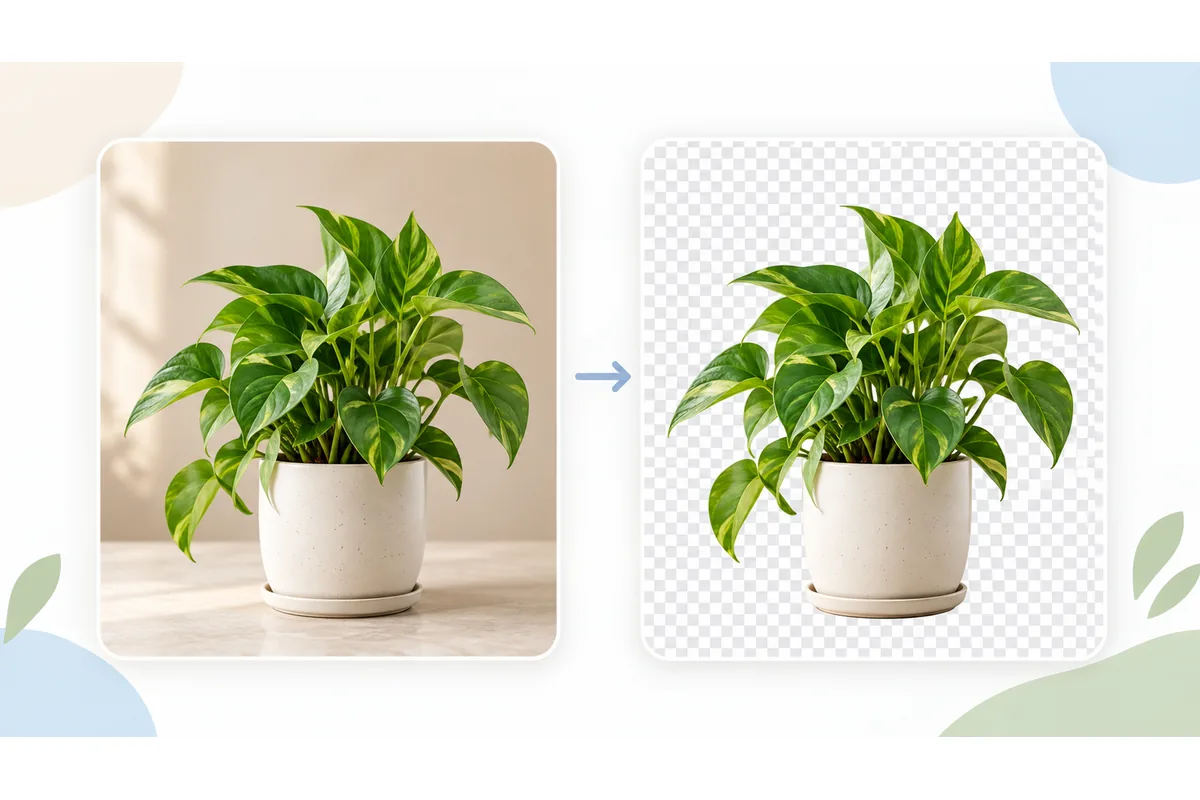
Free AI Background Remover for Photos
Remove backgrounds from photos or animated GIFs on your device. Refine with Erase and Restore, then download a transparent PNG or GIF.
Your file
Need several edits in one place? Open the Photo Editor to crop, adjust colors and add text before exporting.
Why use this tool
- No file size limit
- Nothing is uploaded
- No signup needed
Drop in a photo and the subject is separated from everything behind it, leaving a transparent PNG you can place on any background. It works on people, products, pets, food and most objects with a recognizable outline, including fine edges like hair and fur.
What makes this different from most free background removers is where the work happens. The AI model runs inside your browser, on your own device: your photo is never uploaded, there is no daily limit, no sign-up wall, no paywall at the download step and nothing stamped across the result.
How to cut out a photo’s background
Add your photo
Add a JPG, PNG, WEBP, HEIC or GIF. Photos become transparent PNGs; GIFs stay animated. Your files are processed in your browser.
Remove the background
Nothing to press: processing starts as soon as the photo is added. The model finds the subject, builds a mask around it and composites the result — a few seconds on most devices.
Download your transparent file
Check the edges, use Erase or Restore if needed, then download. Photos are saved as PNG; animations as GIF. Editing keeps the original pixel dimensions.
How background removal works here
The tool runs U²-Net, a compact image-segmentation model, through ONNX Runtime compiled to WebAssembly. The model looks at your photo and predicts, for every pixel, how likely it is to belong to the subject rather than the background.
It sees a 320 × 320 square, so your photo is scaled down for the model and the resulting mask is scaled back up and applied to the original at full resolution. When the subject is small in the frame, a second pass over its own area recovers detail along thin edges.
The first use downloads about 17 MB of AI files, which start loading as soon as the page opens. If your browser keeps the files, later visits skip that download. Processing still depends on your device and image size.
What it handles well, and what it struggles with
Reliable: people and portraits, clothing and products against plain or busy backdrops, pets, furniture, food, cars — anything with a clear edge against what is behind it.
Harder: glass, smoke, water and other semi-transparent subjects; thin wire or netting; motion blur; and a subject that is the same color and brightness as its background.
A higher-resolution source almost always produces a cleaner cut-out than a small one, because the edge detail the model needs is still there to find. Heavily compressed thumbnails have already had it smeared away.
Green screen, logos and signatures
A chroma key image, a subject shot in front of a green or blue screen, is one of the easiest cases. You do not need a chroma key editor or to pick the green: the model finds the subject by its shape. Green light reflected onto hair or edges can leave a faint rim, which the Erase brush cleans up.
To extract a logo from an image, start from the largest, sharpest copy you have and crop close to the logo first with Crop Image. Flat logos on a plain backdrop separate cleanly; small text and thin outlines are where you should zoom in and touch up with Restore. When the backdrop is a single flat color, removing that color is often cleaner for thin outlines and small lettering, because it works pixel by pixel rather than by shape.
To make a transparent signature, sign in dark ink on clean white paper, photograph it in even light and crop tightly. The model is trained on objects more than pen strokes, so check thin lines at full size and restore any part that faded. The result is a PNG you can place on documents, and it works as a simple image to signature converter.
Transparent PNGs and animated GIFs
Photos are saved as transparent PNGs; animations as GIFs. Erase, Restore and preview zoom keep the original pixel dimensions.
Need the subject on white or a brand color instead? Choose White, Black or any color under Background before you download. For animations, the GIF background remover does the same frame by frame: it makes a GIF transparent or gives it a new background and keeps the loop. To place the cut-out on another photo, add both to Combine Images, switch to Overlay and drag it into position.
Which background tool to use
This page finds the subject by its shape, so it suits photos of people, pets and products on any backdrop. For a logo or drawing on one flat color, Remove Color from Image is often cleaner: it removes exactly the color you click, with a tolerance you control.
For an animation, use the GIF background remover, which treats every frame and keeps the timing. And when you only want a transparent PNG from a picture that already has a plain white background, the transparent PNG maker does the same job with the transparent output preselected.
Removing a background here versus uploading to a service
The trade-off is a one-off download in exchange for everything else.
| This tool | Typical online remover | |
|---|---|---|
| Where your photo goes | Nowhere — it stays in the tab | Uploaded to their servers |
| Account | Not needed | Usually required to download |
| Free allowance | Unlimited | Often a few images a day |
| Full-resolution download | Always | Frequently a paid upgrade |
| Watermark | Never | Common on free tiers |
| First run | One 17 MB model download | Immediate |
| Works offline | Yes, once the model is stored | No |
What a transparent cut-out is for
Product photos
Marketplaces such as Amazon, eBay and Etsy want products on a clean white background. Cut out, choose White under Background, and download.
Profile pictures and avatars
Put yourself on a brand color or a plain backdrop instead of whatever happened to be behind you.
Presentations and documents
A cut-out sits on a slide or a page without a white box around it.
Design and print work
Logos, mock-ups, posters and collages all need elements with no background attached.